GP-200 Patch Manager
Back up and restore the patches on your Valeton GP-200 from this browser, over USB. An independent tool, not made by Valeton.
- Back up saves any range of slots, or all 256, to a file on your computer.
- Restore writes saved patches back, to the same slots or to others.
- Template fills a range of slots with one patch.
Nothing is written to the pedal until you confirm, and every patch written is read back and checked.
First: connect the pedal to this computer with a USB cable. Valeton's editor can stay open, but don't use it while this app is reading or writing the pedal.
Connected to the pedal. Go to Back up, Restore or Template.
Tested with a GP-200 on firmware 1.8.0; other models and firmware at your own risk (see Help). Works in Chrome and Edge on a computer. The browser will ask to allow MIDI access: choose Allow. Questions? See Help.
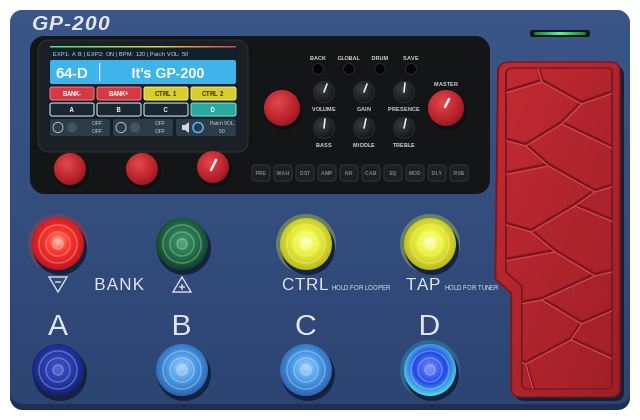
Writes one patch (any .prst file) into every slot of a range, as your own starting point for new patches: your usual wah, noise gate, effects loop and switch settings in every one. See Help for why and how.
Quick start
- Connect the GP-200 to your computer with a USB cable.
- Valeton's editor or another GP-200 tool can stay open, but don't use it while a backup, restore or template write is running. After a restore, reload the patches in the other tool before editing there, so it doesn't save an old copy over a restored patch.
- Open this page in Chrome or Edge and press Connect to pedal. Allow MIDI access when the browser asks.
- The list shows every patch on the pedal. Back up saves a range (or all 256) to a file; Restore writes saved patches back; Template fills a range with one patch.
Choosing slots
On Back up and Template you choose a range of slots in any of three ways:
- drag across the list from the first patch to the last (up or down);
- click the first patch, then the last;
- or type them in the From and To boxes (12-A, 12A and 12a all work).
The list shows your range in blue before anything happens. Slots that will be overwritten (by a restore, or by a template once you've chosen its file) are orange. On Restore, click the patch where the restore should start; the files go into that slot and the ones after it. Each screen keeps its own choice.
Will it work in my browser?
- Works: Chrome and Edge on a Windows, Mac or Linux computer.
- Doesn't work: Firefox, Safari, and any browser on an iPhone or iPad.
- Not tested: Android, and other browsers built on Chrome (Opera, Brave, Vivaldi).
To check, just open the page. If your browser can't reach the pedal, the page says so straight away.
Which pedals and firmware?
Tested with one pedal: the developer's own GP-200 on firmware 1.8.0. Other firmware versions, and the other pedals in the GP-200 family (such as the GP-200LT and GP-200JR, which are said to use the same patch files), haven't been tested. Use it with them at your own risk, and back up before writing anything.
If you try it with another model or firmware, please say how it went, whether it worked or not: tell us it worked (a public GitHub issue; free account needed), or use Report a problem below. The app can't read the model or firmware from the pedal, so please include them.
Before you restore
A restore overwrites the slots shown in orange; every other slot is left alone. Back up the pedal first. Each patch is read back and checked after it's written, and the list is read again afterwards, so it always shows what's on the pedal.
Your own IRs and NAM captures aren't in a backup. A patch only stores the number of the User-IR or SnapTone (NAM) slot it uses, not the file in it. On another pedal, or after that slot has been loaded with something else, the patch will sound different. The app warns about these patches when you back up or restore them.
Templates
A template is your own starting point for new patches. Build one patch with the choices you want in every patch, for example:
- your preferred wah;
- your noise gate, and where it sits in the chain;
- where the effects loop's send and return go in the chain;
- what the switches do (for example, you could assign CTRL 1 to the distortion module and CTRL 2 to the modulation module, and choose the initial state of each as "on" or "off").
Write it into the slots you'll use for new sounds, and every new patch starts with those choices already made. You design the sound; the parts you rely on stay where you expect them.
Why it helps on stage: when every patch is laid out differently, it's hard to remember how each one works mid-song. When your patches share a few standards, a switch does the same job in every patch.
Different templates for different banks: a bank or two built from a clean template, a bank or two from a metal template, and so on. Each group keeps its own standards.
How it works
The Template screen writes one ordinary patch file (.prst) into every slot of a range. Any .prst works: one you exported from the pedal, or one made in GP200 Studio. Some ways to use it:
- New sounds from your template. Export your template patch from the pedal, then fill, say, the empty banks 50-64 with it.
- Setting up a block for a gig or project. Fill banks 40-44 with a basic patch, then adjust each slot for a song.
- Clearing old patches. Export an empty slot ("It's GP-200") to get a blank .prst, then write it with "Every slot in the range" chosen. Those slots count as empty again.
By default it fills only empty slots ("It's GP-200") and keeps every other patch, because the app can't tell an earlier template from a patch you made. Choose "Every slot in the range" to overwrite those too. Just before writing, the range is read again; if anything on the pedal changed since, nothing is written and the plan is shown again.
Something went wrong?
- No permission prompt, or "MIDI access was blocked": click the icon at the right of the address bar, allow MIDI devices for this site, then press “Connect to pedal” again.
- Pedal not found: check the USB cable, and close Valeton's editor and other GP-200 tools (on some computers only one program can use the pedal's connection at a time). Unplug and reconnect the pedal, then press “Connect to pedal”.
- A write wasn't verified: the slot may not hold what you meant. Back up that slot to see what it holds, and try the restore again.
Report a problem
Problems and questions go to the project's GitHub page, as an “issue”. You need a free GitHub account, and issues are public: anyone can read them.
- Press Report a problem. The app saves a log file (usually to your Downloads folder) and opens GitHub's form for a new issue in a new tab, with the app version and your browser already filled in.
- In the form, say what you were doing and what happened.
- Drag the log file into the form's text box, check what it shows, then press Create.
The log records what the app did, your browser, the pedal's MIDI ports and the names of the patches it read or wrote. It stays on your computer until you save it: the app never sends it anywhere, and closing or reloading the page clears the log.
More detail: the project's README.
About
GP-200 Patch Manager is an independent, free, open-source tool (GPL-3.0) made by a GP-200 owner. It is not made, endorsed or supported by Valeton; "Valeton" and "GP-200" are used only to say which pedal it works with. For problems with this tool, see “Report a problem” above, not Valeton's support.
To see which parts of the app are used, it counts each screen opened and each connect, backup, restore and template write, anonymously: no cookies, and nothing about you, your pedal or your patches. The counts are public: Stats.